
Connect contractors to projects
Assign subcontractors to the work they support so reviewers can evaluate the insurance evidence in the right project context.
FOR GENERAL CONTRACTORS
For small and medium-sized general contractors: keep subcontractor certificates, project requirements, document reviews, and renewal follow-ups connected. Built for project administrators, contract administrators, project coordinators, office managers, and operations teams.
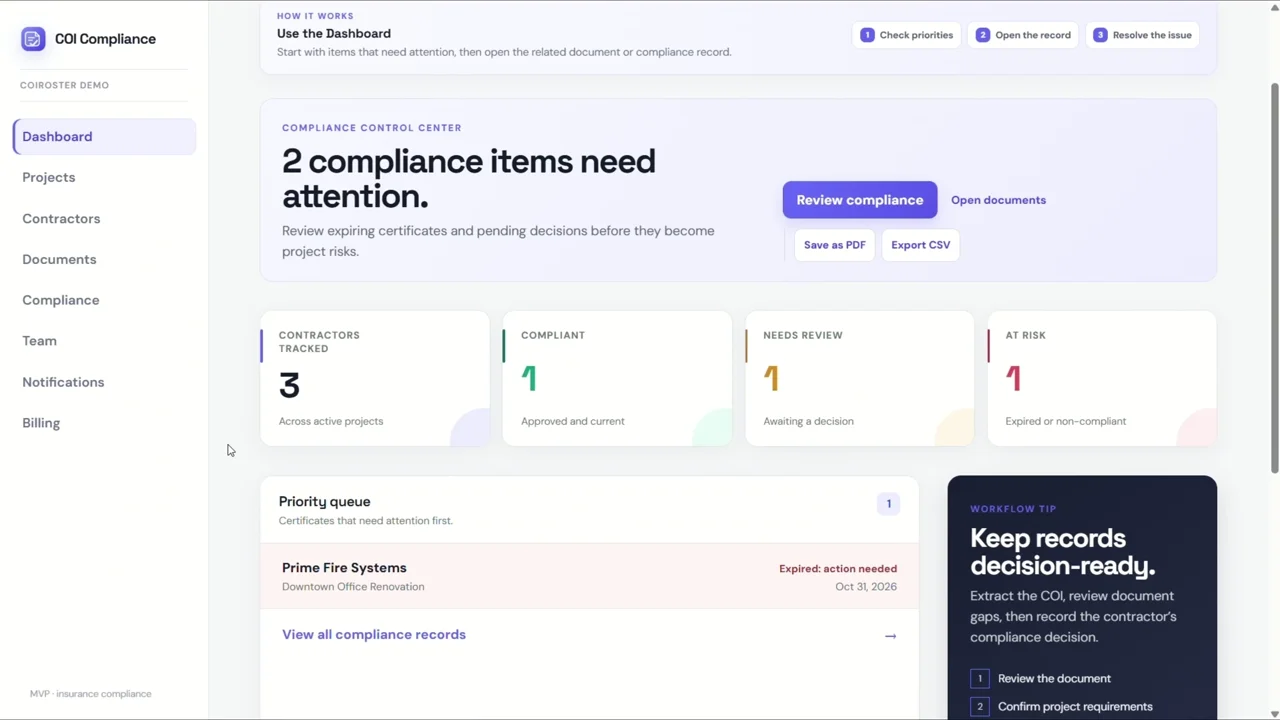
A missing certificate, an approaching expiration, an endorsement to check, or a follow-up with no clear owner can delay the next review. COIRoster connects those records to the relevant project. Bring your existing tools and workflow to the demo to discuss fit.
Assign subcontractors to the work they support so reviewers can evaluate the insurance evidence in the right project context.
Record expected coverages, limits, additional insured status, waiver conditions, and other evidence requirements for each project.
Send an upload link that lets a contractor provide current evidence without creating a COIRoster account.
Give owners, administrators, compliance managers, and viewers access that matches their responsibilities.
Use OCR-assisted information to focus the review, then let a qualified person approve or reject the submitted evidence.
Send automatic reminders at 90, 30, and 7 days while preserving the outreach history for the team.
FROM ROSTER TO DECISION
Create the project and its requirements, add the subcontractor, assign them to the project, collect current evidence, review the document, and record the decision. When the recorded expiration approaches, COIRoster starts the update process again.
COIRoster helps teams organize evidence and follow-up. It does not guarantee coverage, interpret every policy term, or replace legal, insurance, or professional advice.
COMMON QUESTIONS
Projects can have different limits, endorsements, entities, and work periods. The assignment gives reviewers the context needed to compare evidence with the correct requirements.
Yes. A secure upload link lets the subcontractor submit evidence while internal roles and decisions stay inside the compliance workspace.
A qualified member of the organization does. COIRoster organizes requirements, evidence, extraction, and history but does not replace professional judgment.
Follow the complete seven-step process from requirements to monitoring.
Reduce repetitive reading while preserving human control.
Know what to verify when evidence on file is no longer current.
See the reminder sequence that starts 90 days before recorded expiration.
Watch the 72-second demo No email required to watch.